
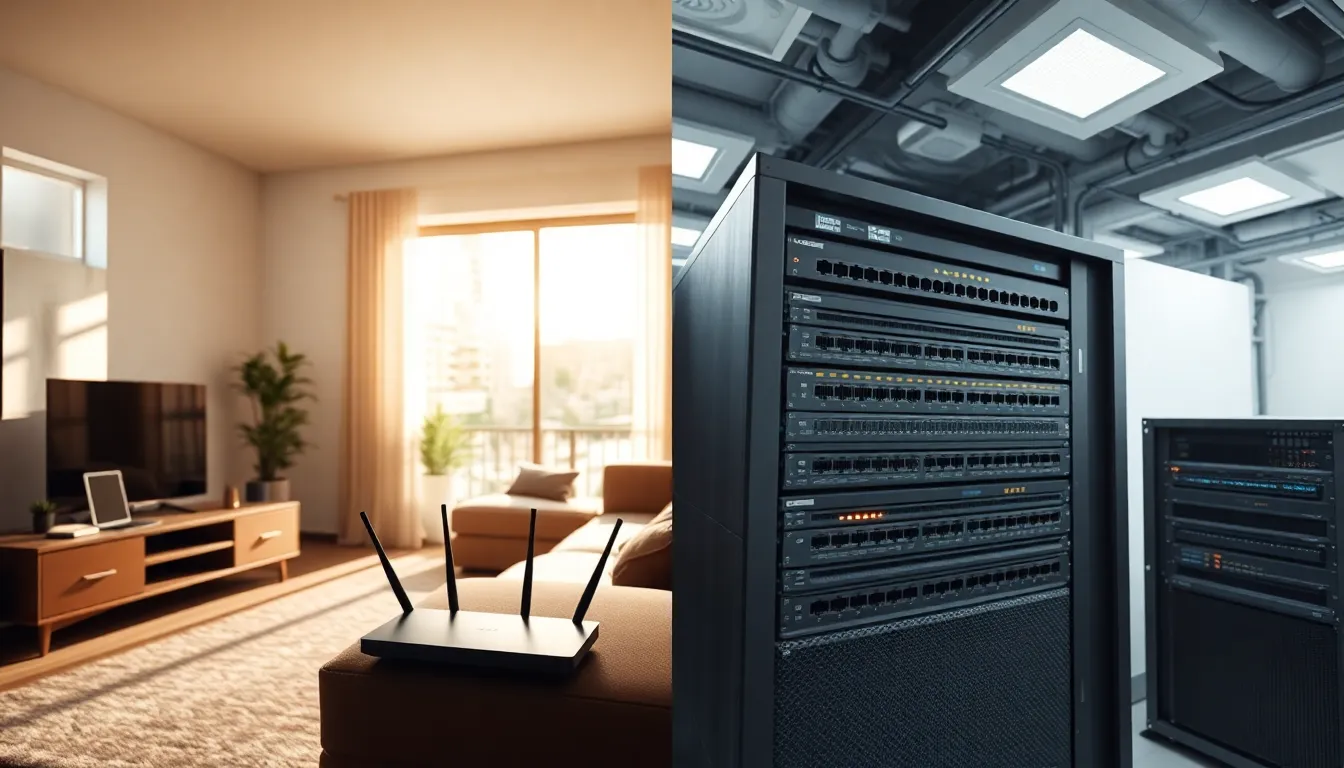
Home networking vs. professional IT networks, what separates a router in a living room from the infrastructure powering a corporate office? The gap is larger than most people realize. Home networks handle streaming, gaming, and basic file sharing. Professional networks support hundreds or thousands of users, manage sensitive data, and require near-constant uptime. This article breaks down the core differences between home networking and enterprise setups. It covers what each type includes, how they differ in scale and security, and which option fits specific needs.
Table of Contents
ToggleKey Takeaways
- Home networking supports 10–50 devices and prioritizes ease of use, while enterprise networks handle thousands of connections with advanced management tools.
- Professional networks use layered security including firewalls, intrusion detection, and 24/7 monitoring—far beyond the basic encryption of home setups.
- Enterprise infrastructure costs $50,000 to $500,000 or more, compared to a few hundred dollars for home networking equipment.
- Redundancy is a key difference: enterprise networks have backup links and failover systems, while home networks go offline when a single router fails.
- Small businesses with 5–25 employees can benefit from prosumer solutions that bridge the gap between home networking and full enterprise infrastructure.
- Remote work creates hybrid scenarios where home networking must securely connect to corporate systems through VPNs and business-grade equipment.
What Is Home Networking?
Home networking refers to the setup that connects devices within a residential space. A typical home network includes a modem, a router, and various connected devices like smartphones, laptops, smart TVs, and gaming consoles.
Most home networks use a single router that handles both wired and wireless connections. The router assigns IP addresses automatically through DHCP and provides basic firewall protection. Internet service providers (ISPs) often supply an all-in-one modem-router combo that simplifies setup.
Home networking equipment prioritizes ease of use. Users can configure settings through simple web interfaces or mobile apps. Features like parental controls, guest networks, and quality of service (QoS) settings are standard on most consumer routers.
Wi-Fi coverage is a common concern in home networking. Larger homes may need mesh systems or range extenders to eliminate dead zones. Modern Wi-Fi 6 and Wi-Fi 6E routers offer faster speeds and better performance with multiple devices.
Security on home networks typically relies on WPA3 encryption and the router’s built-in firewall. Most users don’t carry out additional security measures beyond changing the default password. This simplicity works for households but leaves gaps that professional environments cannot accept.
What Is Professional or Enterprise Networking?
Professional or enterprise networking describes the infrastructure businesses use to connect employees, devices, and resources. These networks serve offices, hospitals, universities, and data centers where reliability and security are critical.
Enterprise networks feature multiple layers of hardware. Switches connect devices within local segments. Routers manage traffic between different network segments and the internet. Firewalls inspect incoming and outgoing data packets. Load balancers distribute traffic across servers to prevent overload.
Network administrators manage enterprise systems using specialized software. They configure VLANs (virtual local area networks) to separate departments or functions. Active Directory or similar tools handle user authentication and access permissions.
Professional networks require redundancy. If one switch fails, traffic routes through backup paths. Uninterruptible power supplies (UPS) and backup generators keep systems running during outages. This redundancy ensures business continuity.
Security in enterprise networking goes far beyond home setups. Organizations deploy intrusion detection systems, endpoint protection, network segmentation, and regular security audits. IT teams monitor traffic around the clock and respond to threats in real time.
Scalability matters in professional environments. Enterprise equipment supports thousands of simultaneous connections. Modular designs allow administrators to add capacity without rebuilding the entire network.
Main Differences Between Home and Professional Networks
The differences between home networking and professional IT networks span several categories.
Scale and Capacity
Home networks typically support 10 to 50 devices. Enterprise networks handle thousands. A consumer router might struggle with 30 active connections. Enterprise-grade switches manage hundreds of ports across multiple racks.
Hardware Quality
Home networking equipment costs between $50 and $500. Enterprise switches, firewalls, and access points run from $1,000 to $50,000 or more per unit. Professional hardware offers better throughput, longer lifespans, and advanced management features.
Security Measures
Home networks rely on basic encryption and a simple firewall. Professional networks use layered security: firewalls, intrusion prevention, network segmentation, endpoint detection, and 24/7 monitoring. Compliance requirements like HIPAA or PCI-DSS demand these measures.
Management and Monitoring
Home users configure their network once and rarely touch settings again. IT professionals constantly monitor enterprise networks. They track bandwidth usage, identify bottlenecks, update firmware, and respond to security alerts.
Redundancy and Uptime
When a home router fails, the household loses internet until someone fixes it. Enterprise networks build in redundancy at every level. Backup links, failover switches, and disaster recovery plans keep businesses online.
Cost
Home networking costs a few hundred dollars upfront plus monthly ISP fees. Enterprise networks require significant investment in hardware, software licenses, and IT staff salaries. A mid-sized company might spend $50,000 to $500,000 on network infrastructure.
These differences reflect the distinct demands each environment places on its network. Home networking prioritizes convenience and affordability. Professional networking prioritizes performance, security, and reliability.
Which Setup Is Right for You?
Choosing between home networking and professional-grade infrastructure depends on specific needs.
Home networking suits residential users and very small businesses with fewer than five employees. It handles everyday tasks like streaming, video calls, web browsing, and basic file sharing. Setup takes minutes, and maintenance requires minimal technical knowledge.
Small businesses with 5 to 25 employees occupy a middle ground. They might benefit from business-class routers and managed switches without needing full enterprise infrastructure. These prosumer solutions offer better security and reliability than consumer gear at a fraction of enterprise costs.
Professional IT networks become necessary when organizations:
- Support more than 25 users or 100+ devices
- Handle sensitive customer or financial data
- Must meet regulatory compliance standards
- Require near-100% uptime for operations
- Need centralized management across multiple locations
Budget also plays a role. Home networking works within tight constraints. Enterprise networking requires planned capital expenditure and ongoing operational costs for IT staff.
Remote work has blurred some lines. Employees working from home might need VPN access to corporate resources. This creates a hybrid situation where home networking must interface securely with enterprise systems. Many companies now provide employees with business-grade equipment for home offices.


